
Rundocs › Dooey
Common AI workflows
Last updated 2026-07-29
This is a menu of the ways customers actually put Dooey to work, organized so you can scan, find a pattern that matches a question you have today, and try it in the next 30 seconds.
In the POS mode, the Dooey tab sits under Analytics in the left sidebar, or tap the ✨ sparkle in the top-right of the header from anywhere in the app to open the same surface in a pop-over.
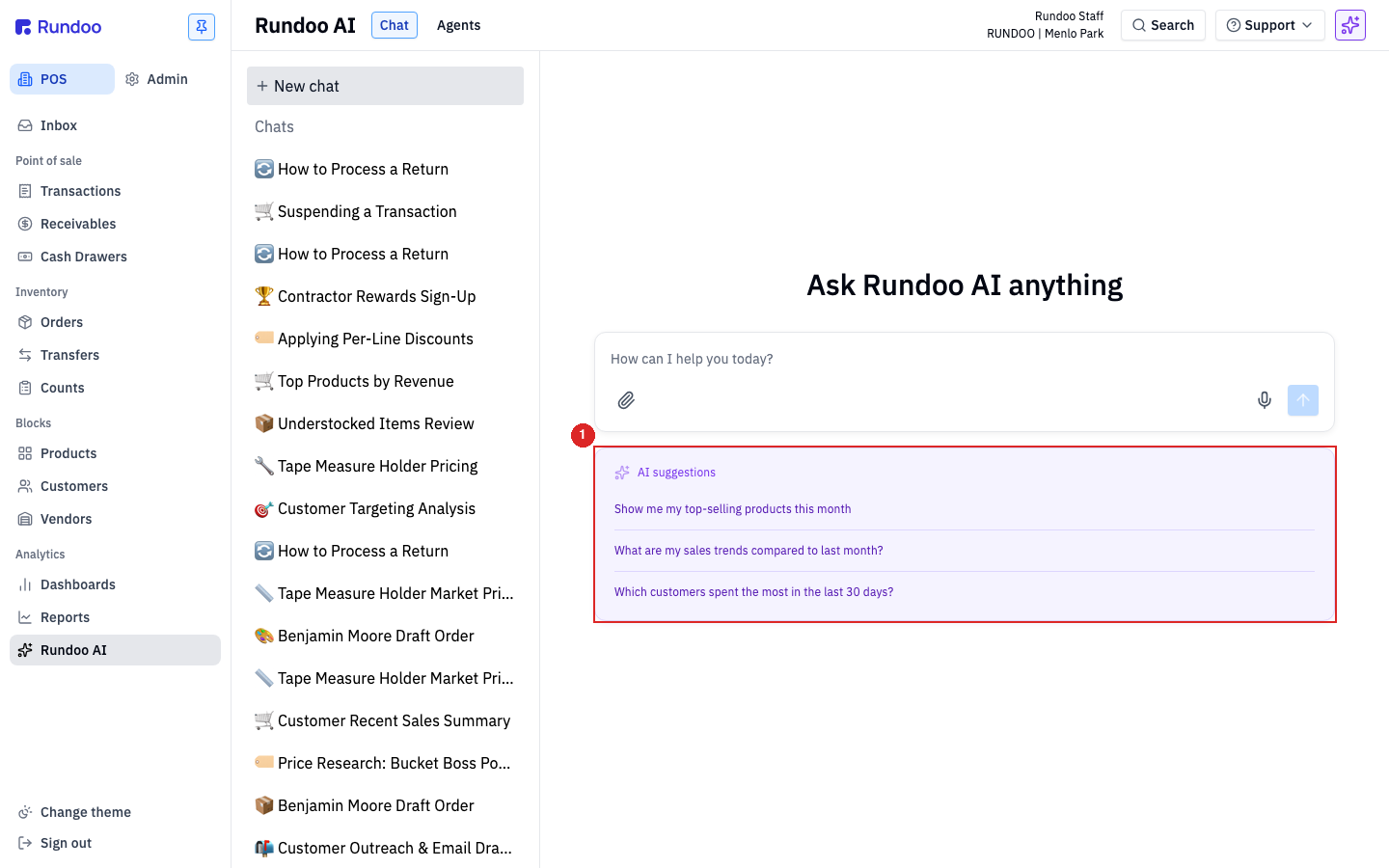
The three ways people use Dooey
Rundoo's take on AI workflows is the AAA framework: Analyze, Act, Automate. Every pattern below is one of those three. Knowing which layer you're in helps you pick the right tool.
Analyze is the starting point. You ask Dooey a question you'd have otherwise pulled a report for, or honestly just skipped. "Who hasn't bought in 60 days that usually does?" "Which products lost margin last month?" This is 70–90% of day-to-day AI usage. It runs in the Chat surface shown above.
Act is the next step up. You ask Dooey to do something, not just report. Draft an outreach email. Produce a reorder list. Propose a price correction. Still a prompt you type in Chat, still one-shot, but Dooey comes back with a draft artifact you can edit and use. The line between Analyze and Act is "did the answer move me any work forward, or just inform me?"
Automate is the hand-off. Take the same question or the same action, and let it run on a schedule. Results get texted to your phone. This is where Routines come in, see that page for how to set a schedule, assign a recipient, and pick the routine type.
Workflows by business area
Three operational areas cover most of what customers ask Dooey about: Relationships, Pricing, and Inventory. Each one gets the AAA treatment.
Relationships
Customers and contractors. Who's active, who's slipping, and what to say to them.
Analyze
Ask Dooey:
Who hasn't bought from me in 60 days that usually does?
You'll get a list of customers whose purchase cadence has dropped off, with their typical-month spend for comparison. Ron Soto at AllPro Paints put it this way: "It's crazy how quick it can pull three years of data and tell me exactly who hasn't bought this year."
These work best when you're specific about the time window. this month, last 30 days, since March 1 (Dooey will ask if you don't say).
Act
Ask Dooey:
Draft me a friendly check-in email for the top 10 lapsed customers.
You'll get 10 drafts, one per customer, personalized with their last purchase and your store's voice. Copy what you want, edit the rest, send.
Automate
Set this up as a routine, a weekly Lapsed customers routine that texts you the list every Monday morning so you can hit the phones. See Routines for how to schedule it.
Pricing
Margin health and competitive position. Where you're leaving money on the table, and where a competitor just moved.
Analyze
Ask Dooey:
Which products lost margin last month compared to the month before?
You'll get a ranked list of SKUs where margin dropped, with the old and new numbers side by side. Useful right after a vendor cost change you didn't catch at receiving.
Act
Ask Dooey:
Draft a price correction for the 5 SKUs currently selling closest to cost.
You'll get a proposed new price per SKU with the target margin Dooey picked and the reasoning. Apply the ones you agree with.
Automate
Set this up as a scheduled routine, a daily summary that catches pricing anomalies before they compound. Jason, a four-store paint retailer, caught a $4,200 margin leak this way (a ULTRA SPEC 500 EGG -BASE 3 QT that a clerk had priced at cost months back, sold to the same customer for 10 weeks straight without anyone noticing). His Daily AI Summary flagged the sale at 6pm; he tapped in, traced the pattern, called the customer, and repriced the line before the night was out. See Routines for how to schedule it.
Automating a workflow means it texts you on its schedule whether anything's there or not. Worth it for high-signal checks like margin anomalies; skip for low-activity categories.
Inventory
Stock-outs and overstock. What to reorder, from whom, and when.
Analyze
Ask Dooey:
Which SKUs should I reorder from Benjamin Moore this week?
You'll get a list of SKUs below reorder point, with on-hand, recent velocity, and a recommended order quantity. Works the same way for any vendor you carry.
Act
Ask Dooey:
Write that reorder list as a draft purchase order.
You'll get a draft Order staged in the Orders tab, with lines pre-filled. Review, adjust quantities, and send.
Automate
Set this up as a weekly reorder routine. Every Monday, a draft Order per vendor waiting in Drafts when you walk in. See Routines for how to schedule it.
Where to go when you're not sure what to ask
If you're staring at the composer and nothing comes to mind, just describe what you're thinking about in plain English. "Help me figure out why last week felt slow." "Something feels off with my paint margin." Dooey will ask follow-up questions to narrow the scope, then run. You don't need to phrase it like a query.
For how follow-ups work and how to keep context across a conversation, see Dooey.
Recommended Rundocs
-
Dooey, how Chat works end-to-end.
-
Routines (schedule these patterns to run on their own).
-
Running Reports (when you need the underlying data Dooey pulls from).
-
Customers. The account list the Relationships patterns operate on.