
Rundocs › Accounting
Payouts
Last updated 2026-04-24
Payouts are how you match Stripe's wires to your bank account. Confirm the money landed, match it to what Rundoo booked, and chase it down when it hasn't.
In the Admin > Stripe > Payouts tab, you'll see a balance summary on top and the feed of individual payouts below.
The Payouts feed
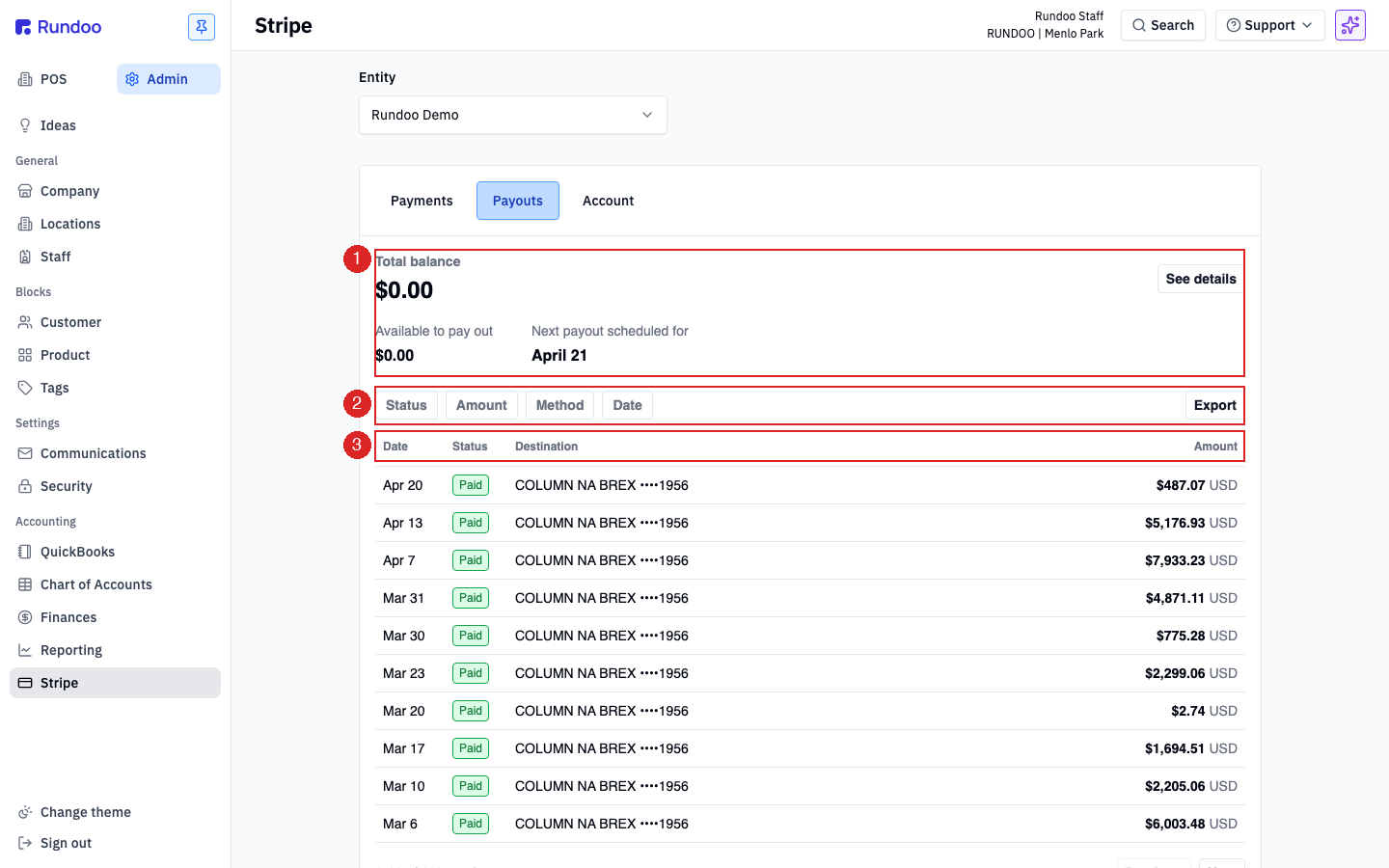
The top of the Payouts tab is your balance summary, and the list below is every payout Stripe has sent, newest first.
-
Total balance, every dollar Stripe is holding for you right now, including today's unsettled card charges. ClickSee detailsto break it out intoAvailable to pay out(settled, ready to leave) and in-transit amounts. -
Available to pay out, the subset that's cleared Stripe's settlement window and is eligible to wire on the next payout run. This is usually the number that matches your next payout's amount. -
Next payout scheduled for. The date the next wire is expected to leave Stripe. On daily cadence, this is normally tomorrow (or Monday, after a weekend).
Each row on the feed is a single transfer from Stripe to your bank. Between sales and payouts, Stripe holds the funds on your behalf and nets fees out before wiring you the remainder. Row columns are Date, Status, Destination, and Amount.
The Destination on every row is the bank account Stripe is wiring to (shown as {BANK} ••••{last 4} so you can tell at a glance which account got paid). For most Rundoo customers it's the operating account you gave us during onboarding (e.g. COLUMN NA BREX ••••1956 in the screenshot above).
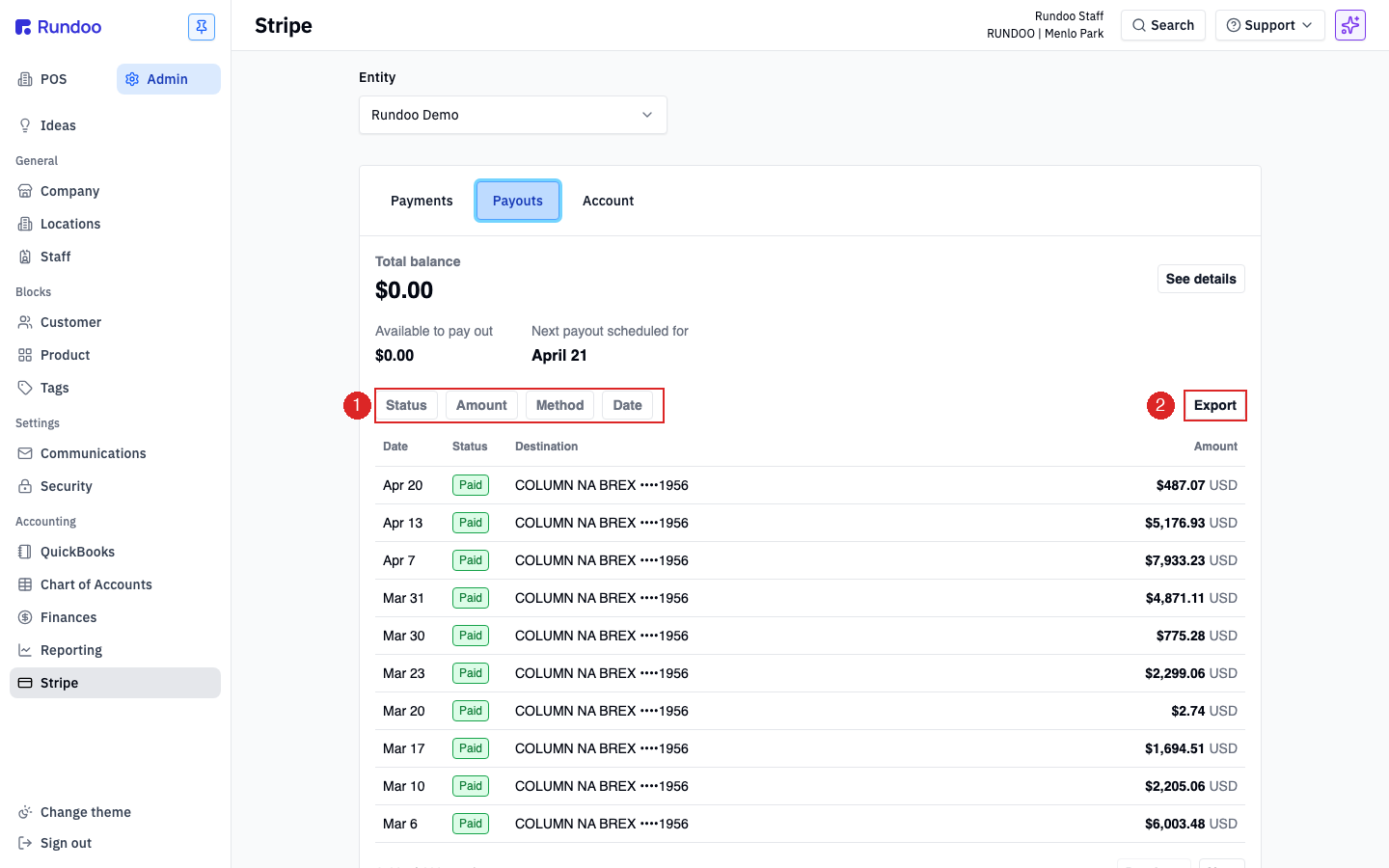
The filter row above the feed (Status, Amount, Method, Date) narrows the list. Use Date to scope to a specific month when you're reconciling a bookkeeper's statement, or Status to surface just Paid rows. Export on the right pulls the filtered list as a CSV.
By default Rundoo sets new accounts to daily payouts. So Monday's card sales show up as a wire hitting your bank on Tuesday or Wednesday (Stripe batches the prior day's activity, then the bank takes one to two business days). Weekly is also available.
To change your payout bank account or cadence, call Rundoo Support at (650) 334-3205. Bank-account edits trigger a Stripe re-verification and can't be self-served.
A payout's detail
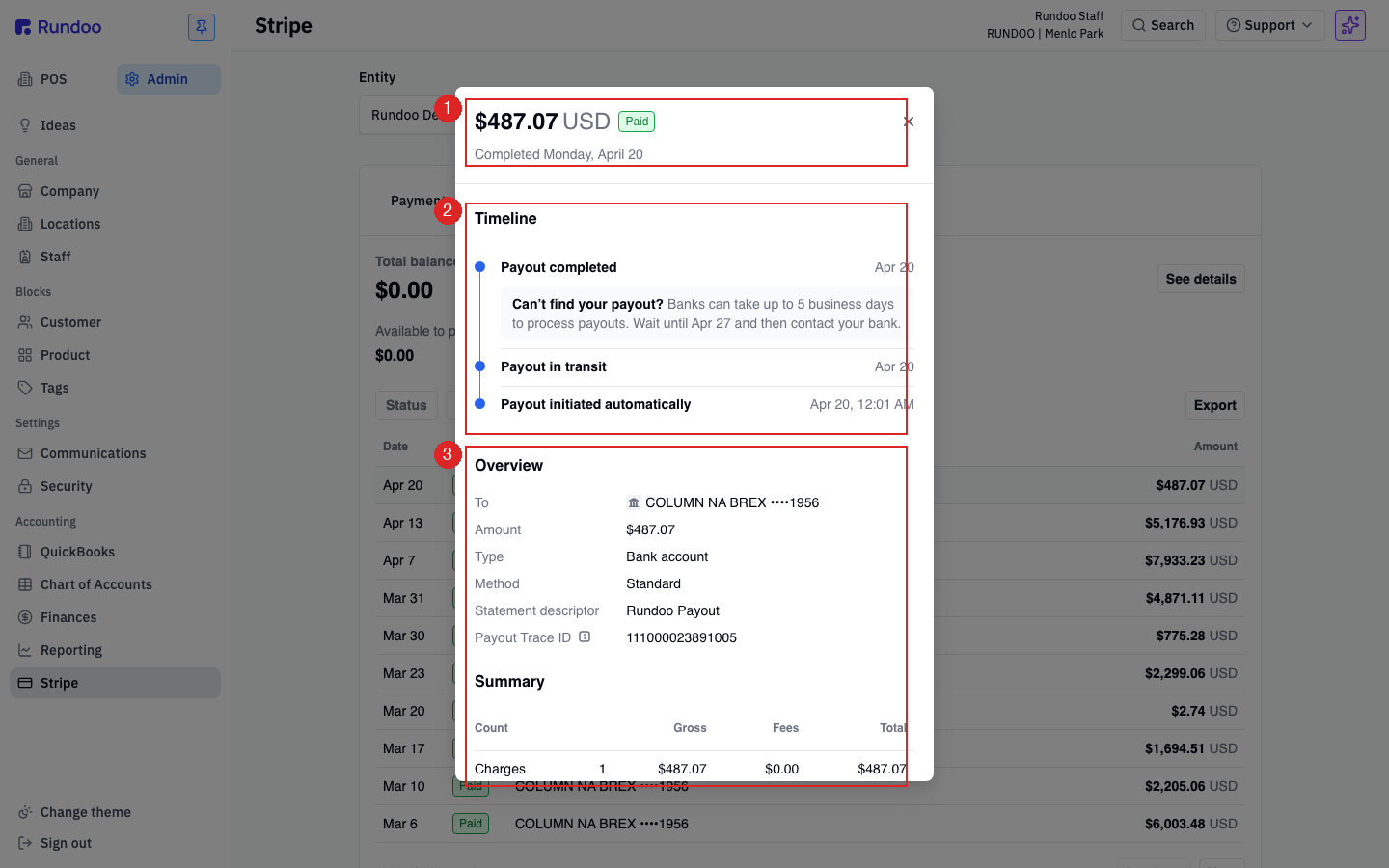
Click any row in the feed and Rundoo opens a detail panel showing exactly which charges rolled into that wire. This is the view you'll use most when reconciling.
Three sections to read, top to bottom:
-
Header, the payout amount, the status pill, and the completion date.
$487.07 USD Paid Completed Monday, April 20means that wire landed on Apr 20. -
Timeline. The three Stripe states a payout passes through:
Payout initiated automatically(Stripe batched it),Payout in transit(Stripe released it to your bank), andPayout completed(your bank accepted it). Each step is stamped with a date and time. The gray callout ("Can't find your payout? Banks can take up to 5 business days to process payouts.") is Stripe's standard timing disclaimer. -
Overview (the wire's metadata).
Tois the destination account,Methodis usuallyStandard(the normal 1–2 business day wire; Stripe also supports anInstantmethod at a fee, not enabled by default), andStatement descriptoris the text that shows up on your bank statement next to the wire (Rundoo sets this toRundoo Payout).Payout Trace IDis the unique Stripe reference (this is what to give your bookkeeper or bank if you're chasing down a missing wire). -
Summary (the roll-up): how many charges made up this payout, the gross (charges total), the Stripe fees, and the net that hit your bank.
Charges 1 · Gross $487.07 · Fees $0.00 · Total $487.07means one sale settled on that date; most real payouts will batch many.
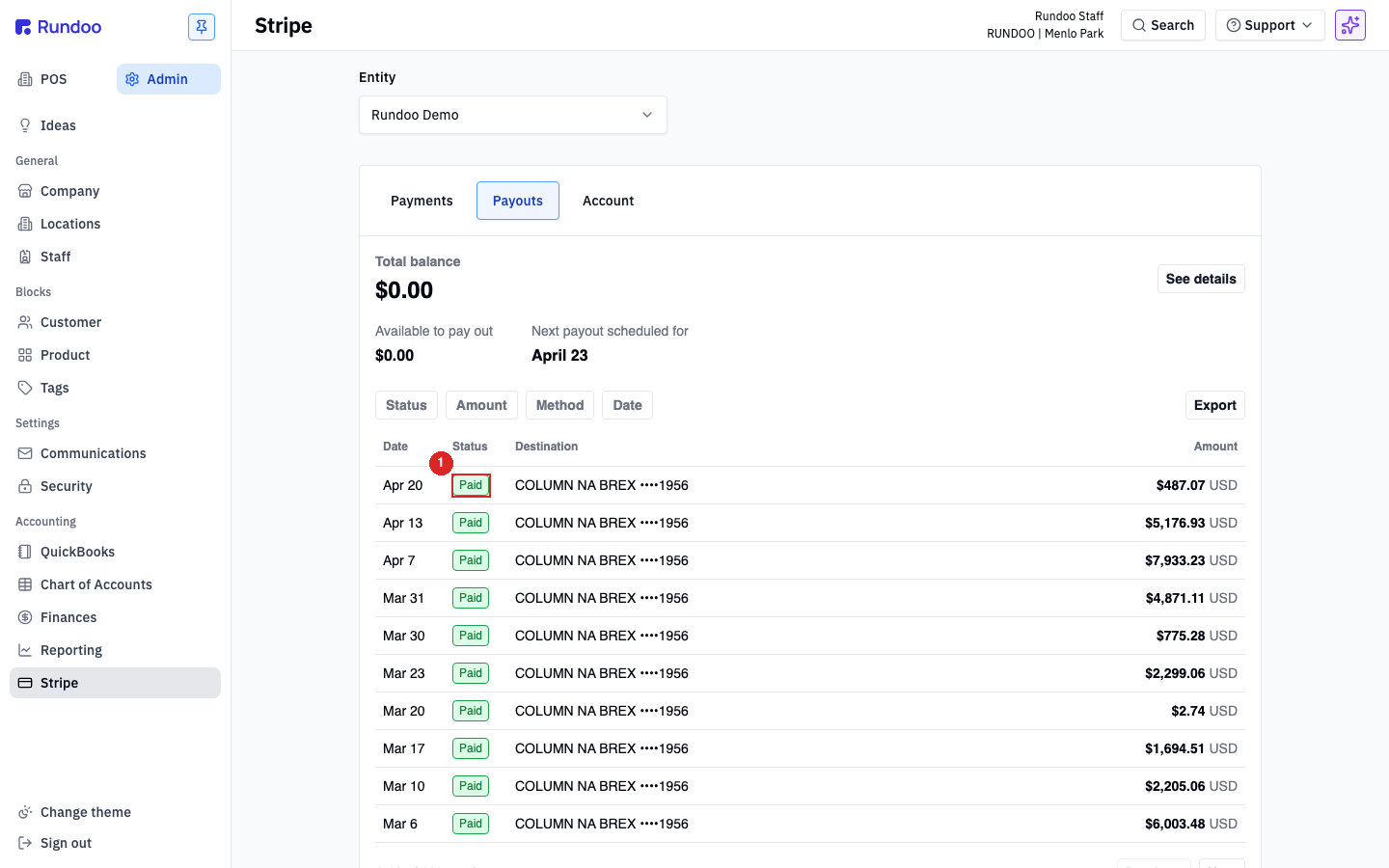
Status pills on the feed and header tell you where a payout is: Paid (hit the bank), Pending (Stripe has released it, bank hasn't confirmed), or Failed (the bank rejected it, usually an ACH return, covered below).
When a bookkeeper asks "where did this Stripe wire come from?", open the payout's detail, copy the Payout Trace ID, and send them that. Stripe's trace ID is unique per wire and is what reconciles on the bank side too.
Reconciling with accounting
Every time Stripe wires a payout, two things happen in Rundoo's books:
-
Stripe's side. The
Stripe clearing(or equivalent) account on your chart drops by the gross charges, the Stripe-fee account picks up the fees, and the bank account picks up the net. -
Your bank's side, the wire shows up on your bank statement (or QuickBooks bank feed) as a single line item with the
Rundoo Payoutstatement descriptor.
Reconciling means matching those two. The standard monthly flow:
-
Pull a date-range CSV from the Payouts tab using the
Exportbutton. -
For each payout row, open its detail to confirm the
Charges,Gross,Fees,Totalroll-up is what Rundoo booked for that date. -
Cross-check against the wires on your bank feed by amount + date + trace ID. A
Rundoo Payoutline for$487.07onApr 20matches the row you saw in step 1.
The accounts that get touched live in your Chart of Accounts. How each sale, fee, and payout maps to those accounts is configured in Account mapping. Worth a read if a payout reconciles by total but the per-account split looks off. If you're pushing everything through to QuickBooks, the same wires also land on your QuickBooks journal entries.
When a payout is delayed or failing
A payout that's later than expected is almost always one of four things. Work through in order:
-
The bank just hasn't posted it yet. Check the
Statuson the feed (Pendingmeans Stripe released it but your bank hasn't confirmed). The Timeline callout on a payout detail spells this out: banks can take up to 5 business days, especially over a weekend or holiday. If today is still inside that window, wait. -
Stripe paused payouts pending verification. In the
Accounttop tab (see the Stripe Rundoc), check thatBusiness detailsand1099 tax form detailshave no warnings. Missing EIN, unverified owner info, or a new address can trip Stripe's review and hold funds. -
The payout failed at the bank. A
Failedstatus pill means your bank rejected the ACH wire (usually a closed account, a name-mismatch, or an ACH limit issue). Stripe auto-retries once; if it fails a second time, the funds stay in your Stripe balance and the next wire won't send until the root cause is fixed. Call Rundoo Support and we'll help Stripe re-verify the bank account. -
Daily cadence paused for a high-risk day. First card taken on a new reader, an unusually large single sale, or a Stripe risk flag can pause a single payout for manual review. The
Next payout scheduled fordate will shift; if it's been more than 48 hours, call Support.
If you're seeing Failed rows on the feed or a Next payout scheduled for date that's further out than one business day, skip ahead and call Rundoo Support at (650) 334-3205. Don't wait to see if it resolves.
Recommended Rundocs
-
Stripe, the parent surface: how card, ACH, and reader payments flow into the same account that produces these payouts.
-
Chart of Accounts, the GL accounts that payouts settle against.
-
Account mapping, how sales, fees, and payouts are routed to those accounts.