
Rundocs › Returns & Exchanges
Return policy
Last updated 2026-07-01
Return policy is where you publish the rules customers see on receipts (how many days, receipt required, restocking fee) and where you control whether cashiers can take a Return from a brand-new transaction or must pull up the original sale. That second control is the setting to require a linked sale on all returns and block receipt-less (blind) returns.
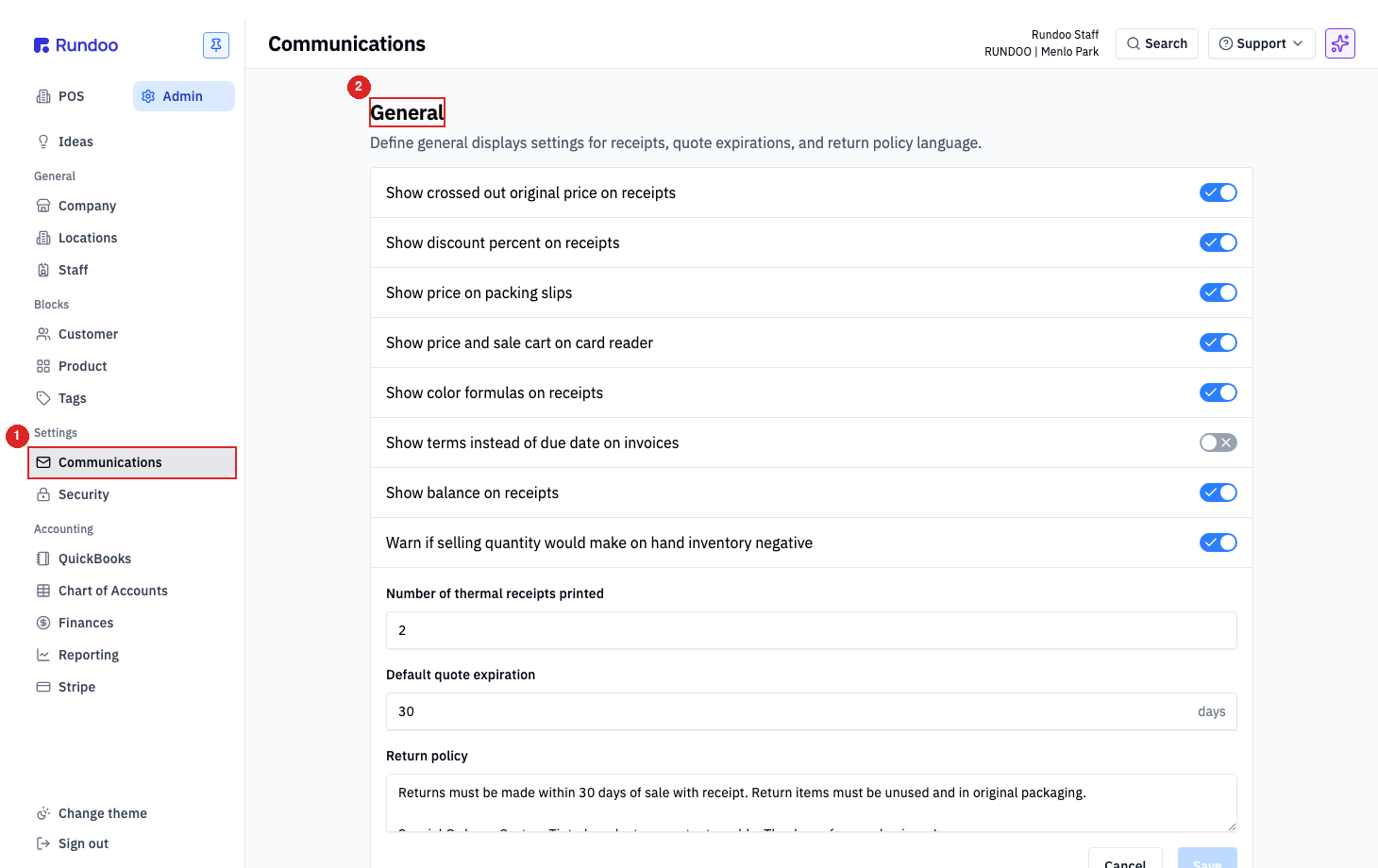
In the Admin mode, open the Communications left tab. The General section holds the receipt-printed policy text. The linked-returns toggles live one tab down in Security.
What return policy controls
Two admin surfaces, two different jobs:
-
Policy text on receipts, the prose printed at the bottom of every receipt so customers know your rules (window, receipt requirement, restocking fee, paint exceptions). Lives in Admin > Communications > General, under the
Return policylabel. It's a free-text textarea, write it however your store wants. -
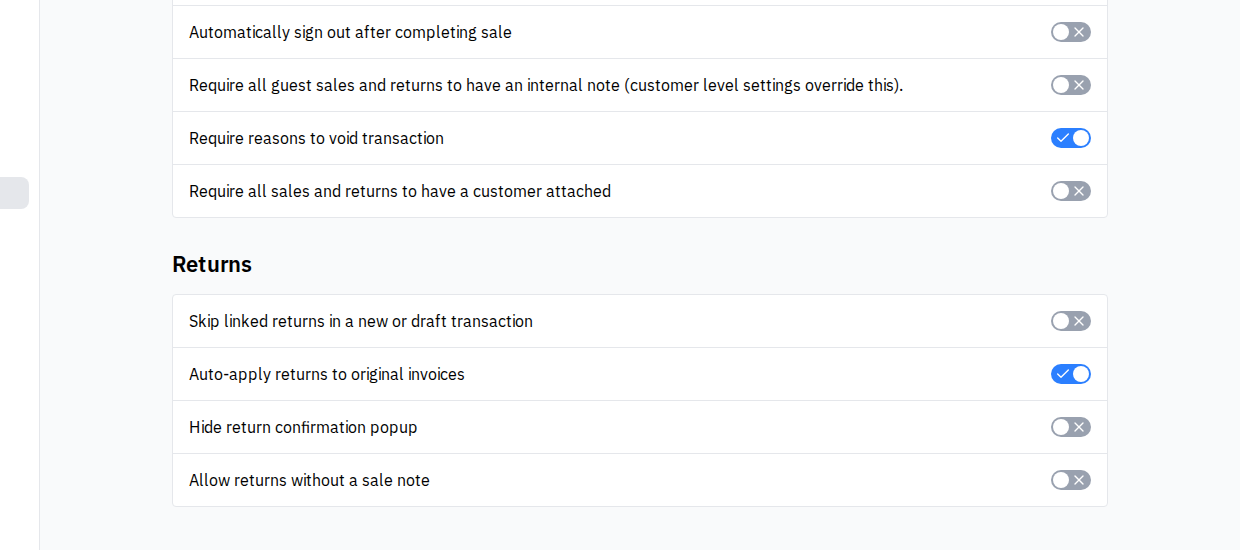
Returns section toggles. Four switches under Admin > Security > Returns that govern how a return is allowed to start: whether a cashier can ring one up without pulling up the original sale, whether the linked return credits the original invoice, whether the return-confirmation popup shows, and whether a free-text sale note is required to complete the return.
Rundoo doesn't expose a structured "window (days)" field or a "restocking fee (%)" field. Those rules live inside your policy prose, and the cashier applies the restocking fee per-return via the Restocking fee checkbox on the Return form. Keep the prose accurate; it's what the customer actually reads.
Editing the policy text on receipts
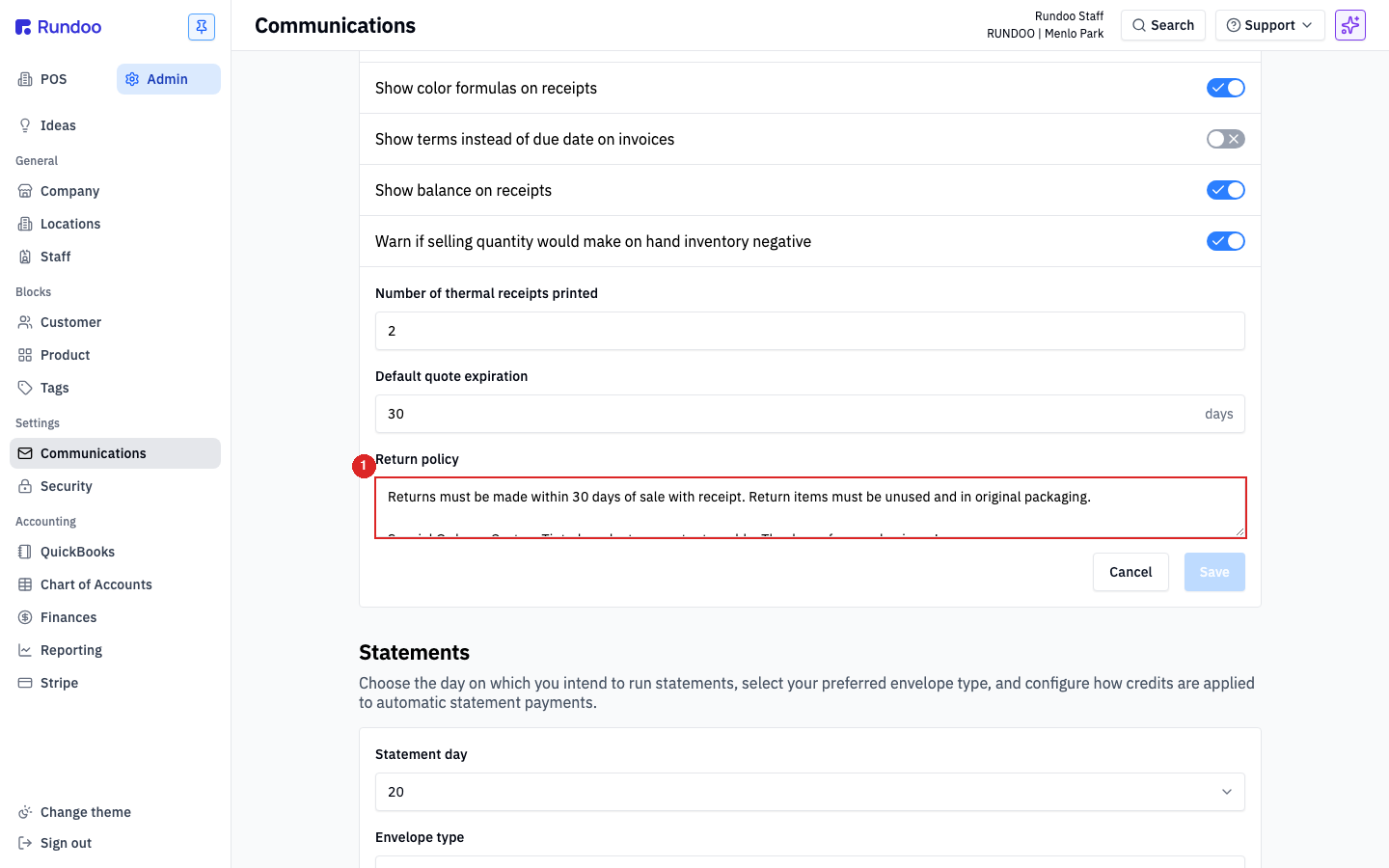
In the Admin mode, the Communications left tab, scroll to the General section. The Return policy textarea sits under Default quote expiration. Type or paste your policy in, click Save, and new receipts start printing the updated text.
What to include (not a template, a checklist):
-
Window. "Returns must be made within 30 days of sale with receipt."
-
Condition. "Return items must be unused and in original packaging."
-
Exceptions for tinted paint or special orders. Most paint retailers don't accept tinted-paint returns; call it out.
-
Restocking fee. If your store charges one, state the percentage here so customers don't see it for the first time at the counter.
⚠️ The text prints on receipts, but Rundoo doesn't enforce it. Nothing in the UI blocks a return that's outside your stated window (cashiers use judgement and the policy text backs them up). If you need a hard cutoff, that's a manager-override conversation, not a setting.
Returns section toggles
In the Admin mode, the Security left tab, scroll past POS settings to the Returns section. Four toggles here, each independent, each defaulting to off (except Auto-apply returns to original invoices, which defaults on):
-
Skip linked returns in a new or draft transaction (this is the toggle that decides whether you require a linked sale on all returns). When on, a cashier can ring up a return from a fresh cart without first opening a past sale (a receipt-less, or blind, return). Leave it off (the default, Rundoo-recommended flow) and every return has to start from the original sale's detail page, so a linked sale is required on every return.
-
Auto-apply returns to original invoices. When on, a linked return automatically credits the specific invoice the sale was billed to (so the customer's AR shows the return against the right month). When off, the return credit lands on the customer's account generally. -
Hide return confirmation popup. When on, finalizing a return skips the standard "Are you sure?" confirmation modal and refunds straight to the selected tender. Use this for stores where return volume is high and the extra click is just friction; leave it off when you want a second look before the refund fires.
-
Allow returns without a sale note. When on, the cashier can complete a return without filling in the Reason for return free-text field on the return form. When off (Rundoo's default), every return requires a sale note before the Refund button is clickable. Flipping this on is the company-wide way to say "don't make my cashiers type a reason on every return." The note still saves to the return when typed; it just isn't enforced.
💡 Even with
Skip linked returnson, Rundoo's preferred flow is still receipt-linked. Pricing, tax, and original tender pre-fill correctly when you pull up the past sale. The toggle is the escape hatch for customers who genuinely can't produce the receipt; it's not a recommendation to stop using the linked flow.⚠️ Turning
Auto-apply returns to original invoicesoff means the return sits on the customer's balance as a standalone credit. If that's not what you want (and it usually isn't for statement-based accounts) leave it on.