
Rundocs › Accounting
Manual journal entries
Last updated 2026-08-31
Manual journal entries let you post your own multi-line debit-and-credit entry to any accounts in your Chart of Accounts, the tool you use to set opening balances at cutover and to record an adjustment Rundoo didn't generate for you.
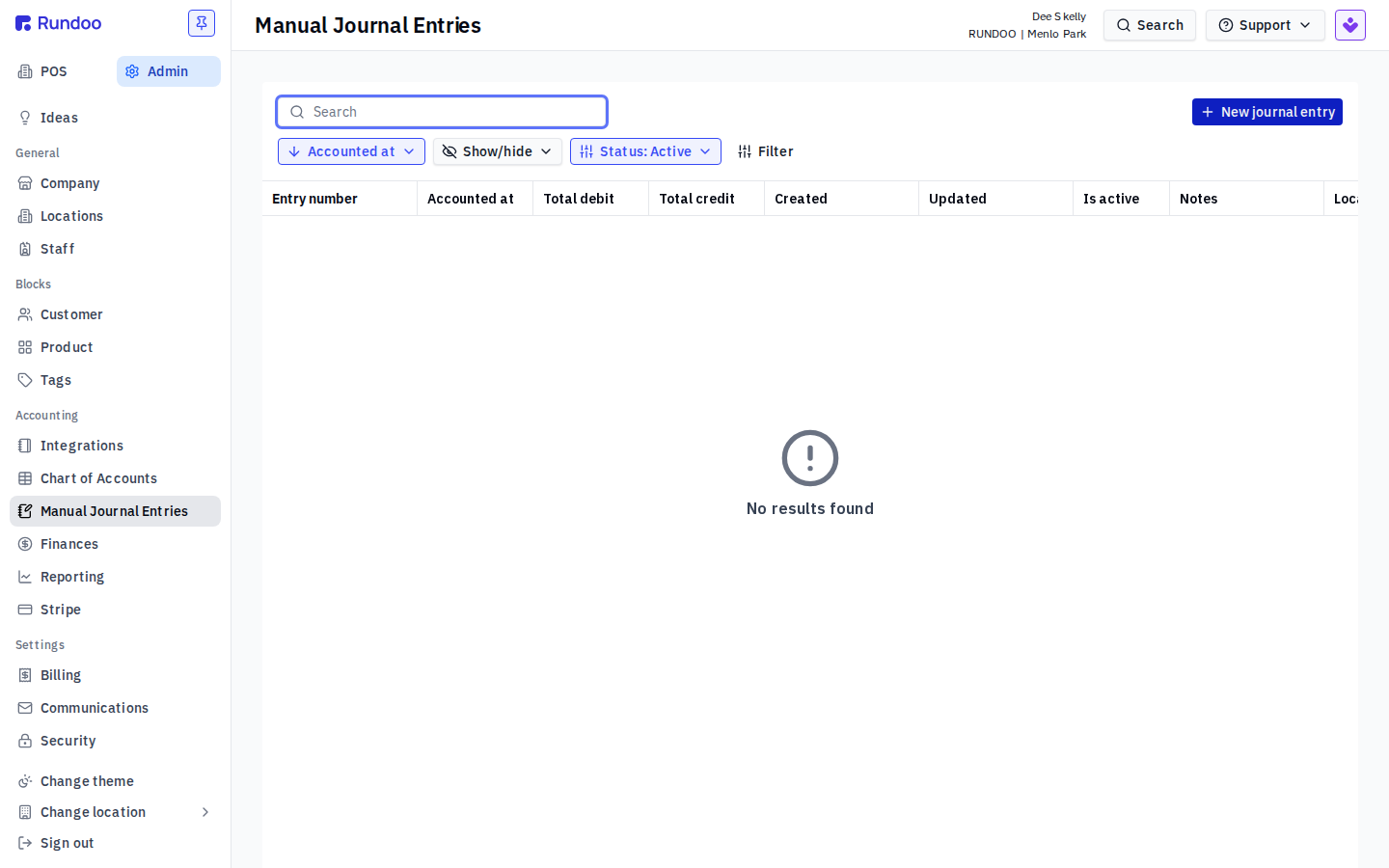
In the Admin mode, open Manual Journal Entries in the left sidebar (it sits in the Accounting group, alongside Chart of Accounts, Finances, Reporting, and Integrations). This is separate from the automatic Journal entries feed: those are the Sales and Purchase journals Rundoo generates overnight and are read-only. A manual journal entry is one you create by hand.
Who can use it
Manual journal entries use the same accounting permission that already gates the Chart of Accounts and the accounting reports (Access accounting to manage chart of accounts and bank accounts, on the Permissions tab). There's no separate permission to grant: anyone who can already manage your books can create a manual journal entry, and anyone who can't won't see the tab.
Creating an entry
Click New journal entry in the top-right of the Manual Journal Entries list. The composer opens with a Date (defaults to Today) and a table of blank lines.
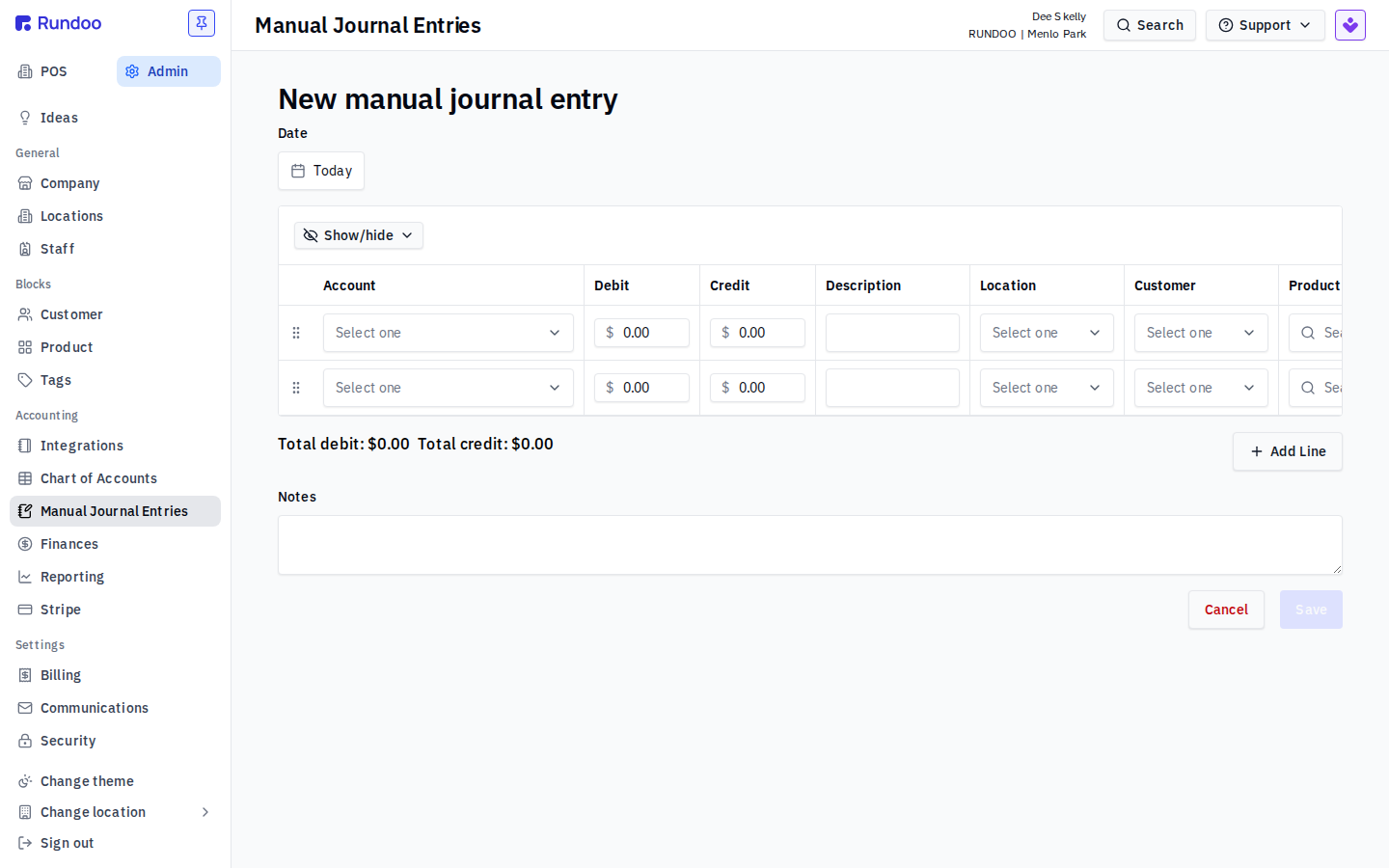
Fill one row per posting:
-
Account (pick any account from your Chart of Accounts). This is the GL account the line hits.
-
Debit or Credit (the amount, in one column or the other, never both).
-
Description (optional per-line memo).
-
Location (which store location the line posts to). Required on every line.
-
Customer, Vendor, Product (optional extra dimensions when the line should carry one, e.g. a customer name on an
Accounts Receivableline so your AR subledger reconciles).
Click Add Line for each additional posting. As you type, Rundoo tallies Total debit and Total credit at the bottom so you can watch the two sides converge. Add a Note for the whole entry if you want context for your accountant, then Save.
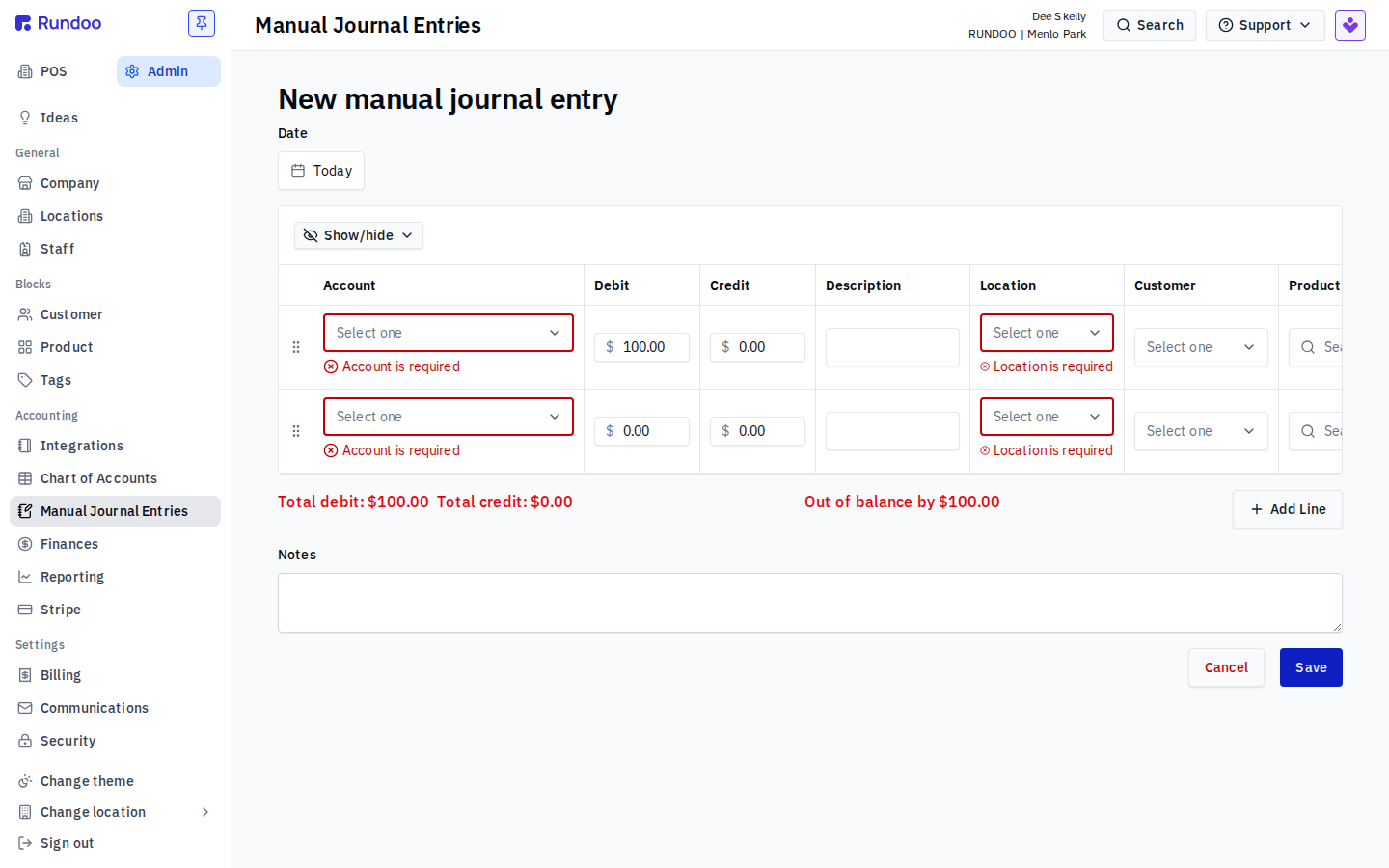
The entry has to balance before it saves. Total debits must equal total credits, and every line needs an Account and a Location. If they don't match, Rundoo blocks the save and shows Out of balance by $X at the bottom (and flags the missing fields inline), so you can't accidentally post a lopsided entry.
Setting starting balances
The most common reason to create a manual journal entry is opening balances at cutover (importing where your books stood, cash on hand, inventory value, accounts receivable, accounts payable, from your old system so Rundoo's reports line up with your history from day one).
This is now where starting balances live. Rundoo moved them out of the per-account Chart of Accounts fields: an account no longer carries its own Starting balance or Start date, and you set opening positions as one balanced journal entry instead. To build one:
-
New journal entry, dated your cutover date. -
One line per account that held an opening balance, each on its debit or credit side (assets and expenses as debits, liabilities, equity, and income as credits).
-
Confirm
Total debitequalsTotal credit, thenSave. A balanced opening entry means your Balance Sheet ties out (Assets = Liabilities + Equity) from day one.
If your opening Balance Sheet doesn't balance, the opening journal entry is the first place to look, its debit and credit totals should match. If you're standing up your books with an implementation manager, they'll build this entry with you during onboarding.
Already on Rundoo before this changed? If you had non-zero starting balances set the old way (per-account, on the Chart of Accounts), they were brought over for you automatically as a manual journal entry, its note reads something like Starting balances for <date>. That migration didn't force the entry to balance, so if your opening Balance Sheet doesn't tie, open that entry from the Manual Journal Entries list and edit it until Total debit equals Total credit, or void it if you'd rather start clean.
Editing or voiding an entry
A manual journal entry isn't locked once you save it. Open it from the Manual Journal Entries list to edit it (fix an amount, an account, or bring a lopsided entry back into balance) or to void it if you posted it in error. Voiding reverses the entry rather than deleting it, which is why the list carries an Is active column, a voided entry stays on record as inactive so your history is intact.