<aside> ℹ️
Legacy hardware. MCPRINT is a discontinued thermal printer SKU. For new installs, see Hardware setup. This page exists for stores still running MCPRINT units.
</aside>
The MCPRINT is a Star Micronics thermal receipt printer Rundoo used to ship before moving to the current hardware line. It connects over your network (not to a workstation) and prints via Star CloudPRNT pointed at Rundoo's print service.
You'll need the Star Quick Setup Utility on your phone to configure the printer.
<aside> ❗
You will not plug the printer into a workstation over USB. The MCPRINT talks to Rundoo over the network.
</aside>
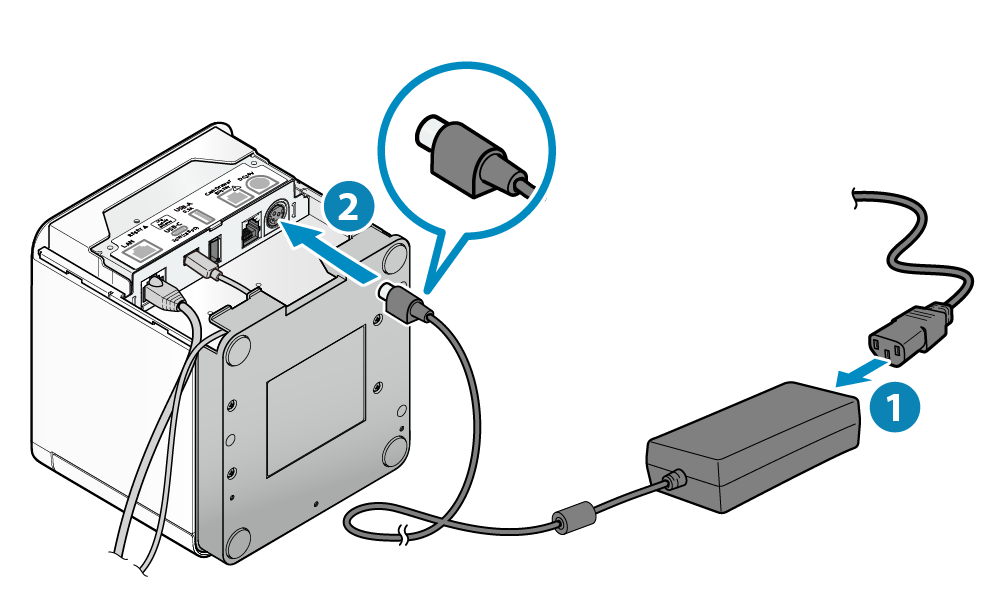
Plug the power cord into the AC adapter, then plug the adapter into the printer. Turn the printer on.
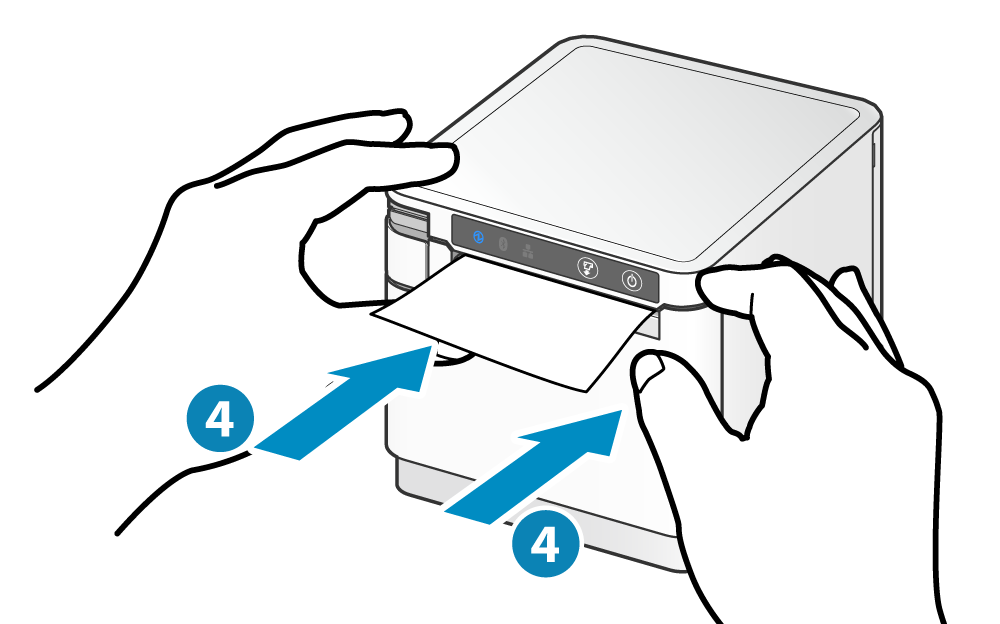
To load paper, pull the opening lever to open the cover, drop the roll in with the paper feeding off the top, pull the end straight out, and press the cover closed on both sides. The printer auto-feeds and cuts when it's set correctly.
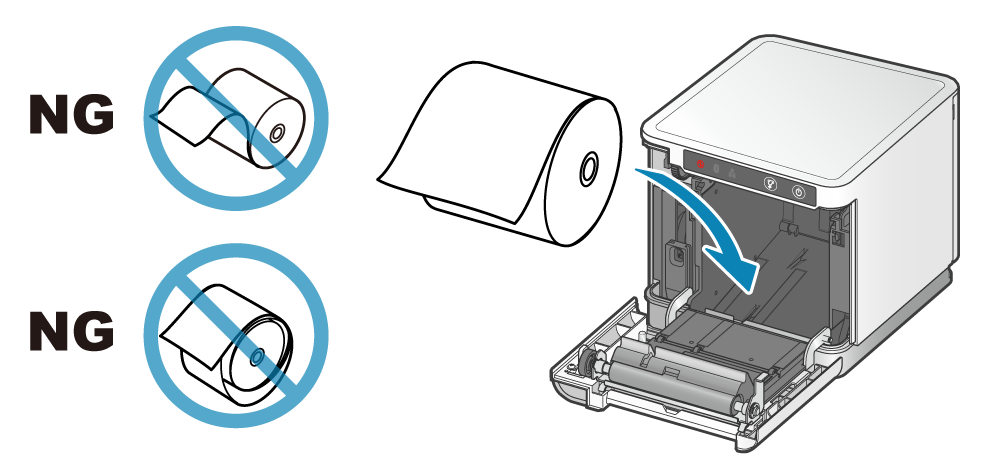
Use paper that matches the printer's spec — 79.5 mm wide by default, or 57.5 mm with the separately sold roll guide. Full spec is in the Star paper roll reference.
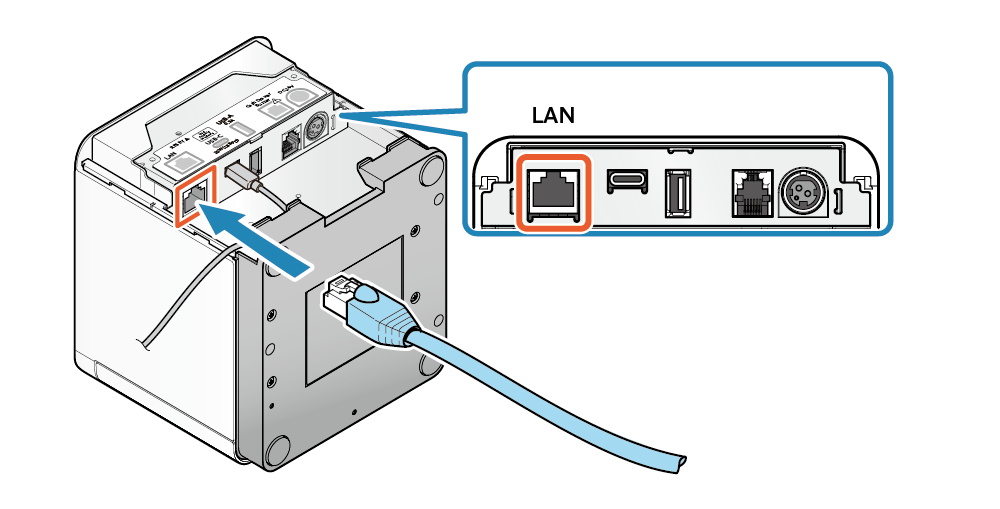
Plug one end of an ethernet cable into your hub or router (not directly into a computer), and the other end into the LAN port on the back of the printer.
<aside> 💡
DHCP needs to be on for the printer to get an IP. It's on by default. If the printer never connects, check DHCP in the Star app under Network Settings.
</aside>